


A call with David Mitroff, Ph.D.
Talk through your business with David
Quick answer
Yes. A Cochrane review found that text message reminders improved attendance compared with no reminder, and worked about as well as phone call reminders at lower cost. A second review across healthcare settings found that text notifications improved attendance and reduced no-shows, and that sending more than one notification could improve attendance further. Most of the research comes from healthcare, so treat the numbers as a guide, not a promise. Piedmont Avenue Consulting, Inc. sets up booking, reminders and follow-up with owners across the San Francisco Bay Area, Los Angeles, Orange County and New York.
Key takeaways
- A Cochrane review found text reminders improved attendance compared with no reminder and worked about as well as phone calls.
- A 2016 review found no-shows of 15% with text notifications compared with 21% without, and multiple notifications could improve attendance further.
- Most of the research comes from healthcare, so treat the numbers as a guide and not a promise.
- Reminders reduce forgetting, while they do not fix a confusing booking page, a long wait or an unwanted appointment.
Do appointment reminders reduce no-shows, or do they just add one more message to a full inbox? At Piedmont Avenue Consulting, Inc., we are a business and marketing consulting firm that works with owners in the San Francisco Bay Area, Los Angeles, Orange County and New York to start, grow and scale their businesses. Every missed appointment is time an owner cannot sell twice, so we looked at what two large research reviews found.
Study one: the Cochrane review of text message reminders
The Cochrane review of mobile phone messaging reminders for healthcare appointments, published in 2013, included eight randomized controlled trials with 6,615 participants.
| Comparison | What the review found |
|---|---|
| Text reminder vs no reminder | Text reminders improved attendance (seven studies, 5,841 participants, moderate quality evidence) |
| Text reminder vs phone call reminder | Similar impact (three studies, 2,509 participants, moderate quality evidence) |
| Cost | Two studies found the cost per text message per attendance was 55% and 65% lower than the cost per phone call reminder |
The review reported attendance rates of 67.8% with no reminders, 78.6% with text reminders and 80.3% with phone call reminders. The authors also noted that the evidence was low to moderate quality overall, that the studies varied, and that the evidence remained insufficient to conclusively inform policy decisions.
Source: Mobile phone messaging reminders for attendance at healthcare appointments, Cochrane Database of Systematic Reviews, 2013, abstract on PubMed. Read on Nov 23, 2026.
Study two: digital notifications across healthcare settings
Dan Robotham, Safarina Satkunanathan, John Reynolds, Daniel Stahl and Til Wykes published a systematic review and meta-analysis in BMJ Open in 2016. They included 26 articles.
Their abstract reports two headline results for text notifications:
- Attendance: 67% with text notifications compared with 54% without.
- No-shows: 15% with text notifications compared with 21% without.
The authors concluded that electronic text notifications improve attendance and reduce no-shows across healthcare settings, and that sending multiple notifications could improve attendance further. They also found that voice notifications appeared more effective than text notifications at improving attendance.
Source: Robotham and colleagues, “Using digital notifications to improve attendance in clinic: systematic review and meta-analysis,” BMJ Open, 2016, on PubMed Central. Read on Nov 23, 2026.
What the research means for a small business
A clinic appointment and a consultation, a salon visit or a site walk are not the same thing, and these studies did not test small businesses. Still, the core finding is simple and cheap to act on: people forget, and a timely reminder brings more of them back.
- Send a reminder for every appointment. Most scheduling tools do this automatically once you turn it on.
- Send more than one. A confirmation when someone books, a reminder the day before and a short one an hour or so before the appointment.
- Use text where people prefer it. Text costs less than a phone call and works about as well in the Cochrane review.
- Call for the appointments that matter most. A short phone call for a first visit or a high-value meeting adds a personal touch.
- Make each reminder useful. Include the time, the place or video link, parking and what to bring.
Why appointments get missed
Before you change your reminders, it is worth knowing what you are fixing. Most missed appointments fall into a handful of patterns, and each one has a different answer.
- They forgot. The appointment was booked weeks ago, and life filled the space in between. This is the problem the research above addresses, and reminders solve most of it.
- They were unsure of the details. The customer remembered the day and not the time, or the street and not the suite number, or which video link to open. A reminder that carries every detail removes the guesswork.
- Rescheduling felt harder than skipping. If changing a time means calling during business hours and waiting on hold, some people simply stay home. A one-tap way to move the appointment turns a no-show into a new booking.
- The reason faded. The tooth stopped hurting, the leak dried up, a friend answered the question. A reminder that restates why they booked keeps the value in front of them.
- They only half committed. Someone booked a call on a whim late at night. A short confirmation that asks them to reply or tap “confirm” separates the serious bookings from the maybes.
Look at your own missed appointments from last month and sort each one into these buckets. The bucket with the most names tells you where to start.
The reminder sequence, step by step
The BMJ Open review found that more than one notification could improve attendance further. Here is a simple sequence most owners can set up in an afternoon inside the scheduling tool they already use.
At booking: the confirmation
Send it the moment the appointment is made. It confirms the day, the time, the place or the video link, and the name of the person they will see. Add a link that puts the appointment on their own calendar, because an entry on their calendar is a reminder they set themselves.
A few days ahead: the check-in
If the appointment is more than a week away, add a short note a few days before. Ask them to confirm, and give them an easy way to move the time if their week changed. Appointments booked for tomorrow can skip this step.
The day before: the main reminder
This is the message that does the most work. Keep it short, warm and complete: time, place, parking or link, what to bring, and how to reschedule.
The hour before: the nudge
One line is enough: “See you soon. We are on the second floor, and parking is behind the building.” For a video call, put the link right in the message so they can tap and join.
After the appointment: the thank-you and the next step
The sequence does not end when the customer walks out. A thank-you note with the next appointment, or a link to book it, keeps the relationship moving. The easiest time to book the next visit is while the customer is still with you.
“Once someone schedules, they receive automated confirmations and reminders, so there’s no confusion or back-and-forth.”
David Mitroff, Ph.D., in The 45 Day Consultant, Chapter 7: What Do You Offer?
That is how David runs his own calendar. A booking tool sends the confirmation and the reminders, and nobody on the team spends the afternoon asking people whether they are still coming. If you keep contacts and appointments in one place, our plain definition of what a CRM is and what to put in one shows how the reminders and the follow-up connect.
What to write in each reminder
A reminder works when it answers every question the customer might have on the way to you. Use this checklist when you write or rewrite yours.
- The day and the time, written the way people read it (“Thursday at three in the afternoon”).
- Your business name as customers know it, so the text does not look like spam.
- The full address with suite or floor, or the video link.
- Parking, transit or where to find the door.
- What to bring: paperwork, photos of the problem, a list of questions, workout clothes.
- How long the appointment takes, so they can plan the rest of their day.
- One easy way to confirm, and one easy way to reschedule.
- A real person’s name, and a number that a real person answers.
Here is a day-before template you can adapt:
“Hi [first name], this is [your name] at [business name]. A quick reminder of your appointment tomorrow, [day], at [time]. We are at [address and suite], and [parking note]. Please bring [what to bring]. Need a new time? Reply here or use this link to pick one.”
Read it out loud before you save it. If it sounds like a machine wrote it, rewrite it until it sounds like you.
Our guide on how to set up online scheduling walks through turning these reminders on.
Losing time to missed appointments?
Schedule a call with David Mitroff, Ph.D. We look at your booking steps, your reminders and the follow-up after each visit.
Or call David at 510-761-5895, 8 AM to 8 PM, seven days a week.
Scenarios: reminders in different kinds of businesses
The sequence above works almost anywhere people book time. What changes is the detail that matters most to the customer. Here is how it looks in a few kinds of businesses we see often.
A dental or medical office
The research came from healthcare, so this is closest to the studies. Patients who feel anxious about a visit are the ones most likely to let it slide. Keep the tone calm, say how long the visit takes, and remind new patients about forms they can complete before they arrive. For practice owners, our work with dental practices covers the rest of the patient experience, from the first call to the recall visit.
A salon, spa or fitness studio
Here, a missed appointment often means an empty chair, or an empty spot in a class that someone else wanted. Send the reminder early enough that a freed spot can go to a waitlist. For a first class, tell people what to wear, when to arrive and where to check in, since first-timers are the ones who get nervous and skip.
A consultant, attorney or accountant
First meetings with a professional are high value and easy to put off. A short personal call or text from the person they will meet, the day before, carries more weight than an automated message. Say what to have ready, such as documents or a few questions, so the meeting starts with substance.
A contractor or home service
An estimate or a site walk means someone has to be home. Confirm the time window, say who is coming and what vehicle to look for, and ask about gates, pets or parking. When a crew drives across town to a locked door, the lost time is the whole morning.
A restaurant or event host
Reservations and event registrations work the same way: a confirmation, a reminder the day before and a thank-you afterward. For events, David also confirms with everyone on the other side of the night, from the venue to the sponsors and speakers.
“A few days before the event, confirm again. The week of the event, confirm again. It feels like overkill until the night it saves you.”
David Mitroff, Ph.D., in The Event Effect, Chapter 7: Venues, Sponsors and Partners
Every confirmation you send to a venue, a partner or a guest is one less surprise at the door. Guests get the same care, as the next section shows.
The same idea works for events
“Use automated reminders to increase attendance and engagement.”
David Mitroff, Ph.D., in The 45 Day Consultant, Chapter 18: Putting Your Ideas into Action
For events, David keeps the reminders warm and few. The day before, he sends a short note to everyone registered, by first name, with parking, check-in and what to expect.
“And respect the inbox. One invitation, one reminder, one thank-you. Not seven reminders.”
David Mitroff, Ph.D., in The Event Effect, Chapter 10: Promotion That Feels Like an Invitation
Our answers on how many people to invite to an event cover turnout and no-shows for events.
When someone misses anyway
Even a good reminder sequence will not bring every person in. What you do in the next hour decides whether that customer is lost or simply delayed.
- Reach out the same day. Send a short, kind note: “We missed you today. Would you like to pick a new time?” Leave out any scolding. People who feel embarrassed tend to disappear.
- Offer two times. A specific choice gets a faster answer than “let us know when works.”
- Make a note in your records. Write down the missed date, so you can see patterns over time.
- Decide your policy for repeat misses. Some businesses ask for a deposit or a card on file after a second missed appointment. Whatever you choose, state it plainly at booking, not after the fact.
“Most business is lost in the follow-up nobody sent.”
David Mitroff, Ph.D., in The 45 Day Consultant (2026 edition), Chapter 3: Becoming the Expert
A missed appointment is a follow-up moment. The owner who sends the “we missed you” note keeps the customer. The owner who waits for the customer to call back usually waits a long time. Our guide to building a follow-up system that wins more business shows how to make that note part of your routine.
Common mistakes with reminders
- Turning reminders on and forgetting to read them. Many tools come with default wording that sounds robotic or leaves out parking and the suite number. Read yours as a customer would.
- Sending from a number nobody recognizes. If the text arrives from an unknown number with no business name, people ignore it or report it as spam.
- Too many messages. More than one reminder is useful. Five is noise, and people start tuning out every message from you.
- No way to reply. A reminder that says “do not reply to this message” closes the door on the customer who wants to reschedule.
- One message for every kind of appointment. A quick check-in and a long first visit need different reminders.
- Details that no longer match. The address changed, the parking lot closed, the video link expired. One stale detail and the customer stops trusting the rest.
“Tools are not solutions by themselves. They amplify what already exists. If your systems are flawed, tech will highlight those flaws, not solve them.”
David Mitroff, Ph.D., in The 45 Day Consultant, Chapter 21: Leveraging Technology in Consulting
A reminder tool sends whatever you give it. If the booking steps behind it are confusing, the reminders deliver that confusion right on time. Our work on streamlining operations starts with the steps behind the tool, then sets up the tool.
What the research does not say
- The studies come from healthcare, so the exact percentages may not carry over to your business.
- The Cochrane authors rated the evidence low to moderate quality and called it insufficient to conclusively inform policy decisions.
- Reminders reduce forgetting. They do not fix an appointment the customer no longer wants, a confusing booking page or a long wait.
How to measure whether your reminders work
You do not need a study of your own to know whether this is working. You need three numbers and a recurring calendar entry to check them.
- Your no-show rate. Count the appointments booked for a month, then count the ones where the customer did not come and did not cancel ahead. Divide the second number by the first.
- Your late-cancellation rate. Count the cancellations that came too late to fill the slot. These cost you nearly as much as a no-show.
- Your rebook rate. Of the people who missed, count how many booked a new time within the next two weeks.
For example, if you booked forty appointments last month and six people missed without cancelling, six divided by forty is your starting rate. Write the three numbers down before you change anything. Then change one thing at a time, such as adding the hour-before nudge, and check again after a full month.
If the numbers move, keep the change. If they stay flat, try the next one. Our guide on how to measure marketing results uses the same habit for the rest of the business.
What to do this week
- Read every automated message your scheduling tool sends, as if you were a new customer.
- Add the missing details: suite or floor, parking, what to bring and how long it takes.
- Turn on a confirmation at booking, a reminder the day before and a short nudge an hour before.
- Make sure customers can reply to a reminder, and that someone on your team reads the replies.
- Write a “we missed you” note and save it, so sending it takes ten seconds.
- Pick your two or three highest-value appointment types and plan a personal call for each.
- Count last month’s no-shows, so you have a starting number to beat.
How we work with owners on booking and reminders
We set up the scheduling tool and reminders, write the confirmation and reminder messages, and connect each appointment to the follow-up that turns a visit into a relationship. In the first ninety days of working together, our job is to find our fee, which means making or saving you more than you pay us. We start with an initial consultation and a paid assessment, then build a ninety-day plan and a twelve-month marketing calendar. Learn more about our business consulting services.
From David’s books
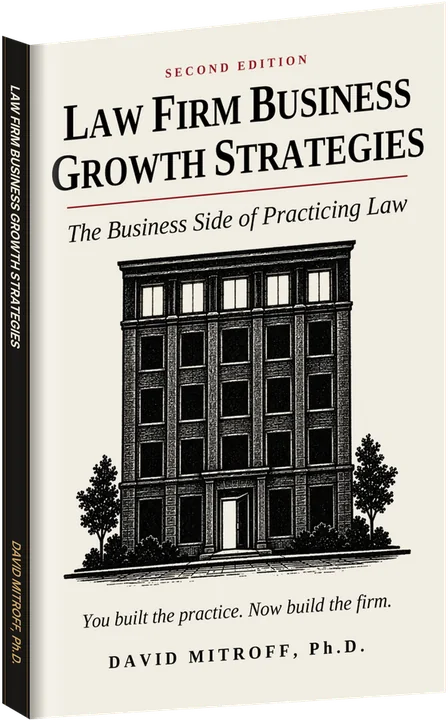
Run a law firm?
David Mitroff, Ph.D. covers this for attorneys in Law Firm Business Growth Strategies, Second Edition, in the chapter “Mapping the Client Journey”.
Read the chapter guideLaw Firm Growth GuideLaw firm consultingGet the book on Amazon
Quick self-assessment
Score your law firm
Answer nine questions and get an initial score out of 100 for how easy your firm is to find and choose online. It is written for law firms, and built on the nine keys from David Mitroff, Ph.D.’s book Online Business Growth Strategies.
Score your law firmTake action
Your next three steps
- Send a confirmation at booking, a reminder the day before and a short one an hour before.
- Call personally for first visits and high-value meetings to add a personal touch.
- Include the time, place or video link, parking and what to bring in each reminder.
In their own words
What clients say about working with us
“David was very helpful with structuring online marketing for my business. He presented clear ideas and strategy that was totally relevant for my dental office. His innovative thinking helps me to think outside the box.”
 Amanda BackstromOwner, Dentist, Artesa Dental
“I have known and worked with David for over 15 years, across numerous companies and ventures. He helped us build and promote Clark Meyers. He is my go-to marketing guru and has introduced me to the resources I need to grow.”
 Conor MeyersCo-Founder, Clark Meyers PC

Read more client stories or see our case studies.
Frequently asked questions
For help with this in your own business, see our page on healthcare consulting.
Frequently asked questions
Do appointment reminders reduce no-shows?
Research suggests appointment reminders reduce no-shows. A 2016 review in BMJ Open found no-shows of 15% with text notifications compared with 21% without, and a 2013 Cochrane review found text reminders improved attendance compared with no reminder.
Are text reminders as good as phone call reminders?
In the 2013 Cochrane review, text reminders had a similar impact to phone call reminders on attendance and cost less, while the 2016 BMJ Open review found voice notifications appeared more effective than text notifications.
How many reminders do I send before an appointment?
The 2016 BMJ Open review found that sending multiple notifications could improve attendance further. Many owners send a confirmation at booking, a reminder the day before and a short reminder about an hour before.
Does the reminder research apply to small businesses?
The reminder research comes from healthcare appointments, so the exact numbers may not carry over, and the core finding that timely reminders bring more people back is a reasonable guide for any business that books appointments.
Does Piedmont Avenue Consulting, Inc. set up booking and reminders?
Yes. Piedmont Avenue Consulting, Inc. sets up booking, reminders and follow-up for owners in the San Francisco Bay Area, Los Angeles, Orange County and New York. Schedule a call with David to talk about your business.
What do I do when a customer misses an appointment?
Reach out the same day with a short, kind note and offer two specific new times. Make a note of the missed date in your records, and if a customer misses more than once, consider a deposit or card-on-file policy that you state plainly at booking.
How do I know whether my reminders are working?
Track your no-show rate, your late-cancellation rate and your rebook rate for a month before you change anything. Then change one thing at a time and compare the numbers after another full month.
Let’s grow together.
Schedule a call with David. Tell us how people book with you today, and we will look at the reminders that keep them coming.
Or call David at 510-761-5895, 8 AM to 8 PM, seven days a week.
About the author
David Mitroff, Ph.D. wrote this article. He is the founder of Piedmont Avenue Consulting, Inc., a business and marketing consulting firm serving the San Francisco Bay Area, Los Angeles, Orange County and New York. Meet David or read more articles by David.
- Founder and Business Growth Strategist at Piedmont Avenue Consulting, Inc.
- Doctorate in clinical psychology, with additional coursework in business administration, law and culinary arts; bachelor’s and master’s degrees.
- Taught marketing and entrepreneurship at the University of California, Berkeley for more than seven years.
- Author of several books, including The 45 Day Consultant, The 45 Day Consultant Field Guide, Online Business Growth Strategies, The Event Effect: Invite, Don’t Sell, and Law Firm Business Growth Strategies (Second Edition).
- Started seven companies; previously owned and ran a recruiting and staffing company.
David works with a small team of consultants and specialists on every engagement. Meet our team or read about Piedmont Avenue Consulting, Inc.