



A call with David Mitroff, Ph.D.
Talk through your business with David
Quick answer
Technology amplifies what a business already does. It does not fix a broken process or a broken business model. Write down how the work runs first, choose tools that fit that process, roll them out one at a time and train people to use them, because a tool nobody uses well becomes a liability. Piedmont Avenue Consulting, Inc. reviews systems and tools with owners across the San Francisco Bay Area, Los Angeles, Orange County and New York.
Key takeaways
- Technology amplifies what a business already does, so flawed systems get highlighted by new tools instead of solved.
- Process comes first: write down what is working and what is not, then choose a tool that fits the work.
- Adoption decides success, because a tool is only as good as the way people use it and the information they enter.
- Industries such as finance and health care tend to adopt new tools more cautiously than e-commerce and media.
Small business technology myths cost owners more than the software does. At Piedmont Avenue Consulting, Inc., we are a business and marketing consulting firm that works with owners in the San Francisco Bay Area, Los Angeles, Orange County and New York to start, grow and scale their businesses. When we start with a new client, one of the first things we look at is how they track leads, jobs, invoices and scheduling, and David Mitroff, Ph.D., covers what we find in The 45 Day Consultant.
Why technology myths are so easy to believe
Software is sold with a promise: install this and the problem goes away. The demo looks clean every time, because the demo uses perfect sample data and a team that already knows the steps. Your business has real customers, real exceptions and people who learned the old way years ago.
There is also relief in buying something. A new subscription feels like progress, and it is easier than sitting down to map how leads actually move through the business. The myths below grow from that relief. Each one is a shortcut that skips the less exciting work that makes a tool pay off.
The good news is that the less exciting work is not hard. It takes a notepad, time with the people who do the job and a willingness to hear where things break. Owners who do that first tend to buy fewer tools, use more of each one and spend less time switching from system to system every year.
Myth one: new software will fix the problem
Fact: tools amplify what already exists. Self-scheduling, automatic reminders and customer relationship management systems can streamline a business and improve the client experience. They cannot repair a process that does not work.
“If your systems are flawed, tech will highlight those flaws, not solve them.”
David Mitroff, Ph.D., in The 45 Day Consultant, Chapter 21: Leveraging Technology in Consulting
If leads fall through the cracks today because nobody owns follow-up, a new system will show you exactly where they fall, and they will keep falling until someone owns the step.
Is it a process problem or a tool problem?
Before you shop for software, answer a few questions about the step that keeps breaking:
- Does one person own the step? If nobody owns follow-up, no tool will own it either.
- Is the step written down anywhere? If each person does it differently, a tool will capture several different versions.
- Do people have the information they need? A system cannot send a reminder for an appointment nobody entered.
- Would the step work on paper? If a simple checklist would fix it, start there. Add software once the checklist works.
If most answers point to people and steps, you have a process problem. If the process is clear and the work is simply too much to do by hand, a tool is the right answer.
Myth two: pick the tool first, then figure out the process
Fact: process comes first. Start by writing down what is working and what is not, in a simple format such as a spreadsheet, notes or a checklist. Once you know what the work needs, choose a task management tool, a customer relationship management system or lead automation that fits it. Our article on documentation tips shows how to write the process down.
Write the process on one page
A one-page process map is enough for most small businesses. For each recurring piece of work, note:
- The trigger: what starts it, such as a call, a web form or a signed agreement.
- The steps: what happens next, in order, in plain words.
- The owner: who does each step.
- The handoff: where the work goes when one person finishes.
- The record: where the information lives once the step is done.
Picture a plumbing company. A customer calls. The office takes the details, books a visit and sends a confirmation. The technician does the job and notes the parts. The office sends the invoice and a thank-you a few days later. Written down, that is five lines, and it shows exactly where a scheduling tool, a reminder and an invoicing system would fit.
“Do it once and it is a favor. Do it the same way every time and it is a business.”
David Mitroff, Ph.D., in The 45 Day Consultant (2026 edition), Chapter 1: What Is a Consultant?
Myth three: once it is installed, it works
Fact: adoption decides success. A tool is only as good as the way people use it and the information they put into it.
“Garbage in, garbage out.”
David Mitroff, Ph.D., in The 45 Day Consultant, Chapter 21: Leveraging Technology in Consulting
Build short onboarding documents, hold a few brief training sessions and check in after the first month on who is using the tool and who has gone back to the old way.
A thirty-day adoption plan
A new tool earns its place in the first month or not at all. A simple plan keeps it on track:
- Week one: set it up for the one process it supports, load clean information and show the team the three or four things they will do in it every day.
- Week two: everyone uses it for real work. A named person answers questions the same day.
- Week three: look at what got entered and what got skipped. Fix the confusing steps and remove fields nobody fills in.
- Week four: check who uses it and who has gone back to the old way. Talk to the second group and find out why.
At the end of the month, decide: keep it, adjust it or drop it. A tool that survives this month usually survives the year.
Myth four: memory and email are a system
Fact: they are the absence of one. When we ask new clients how they track leads, jobs, invoicing and scheduling, many rely on memory and email. Putting that information in one structured place brings clarity and makes the business look more professional to clients.
The questions we ask in the first review
When we sit down with a new client, the review covers the whole team, not only the owner’s tools.
“And the same applies when working with your own team. How does your team communicate? How are files organized and shared? How are recurring tasks tracked and updated?”
David Mitroff, Ph.D., in The 45 Day Consultant, Chapter 21: Leveraging Technology in Consulting
The answers often show that the business already pays for the right tool and uses only a small part of it. Sometimes two tools do the same job. Our software and subscription audit checklist walks through what to review, cancel and keep. If leads live in scattered email, our explainer on what a CRM is covers what to put in one.
Our catering growth case study shows what changes when every request moves out of one person’s memory and into one system: a Ben & Jerry’s franchise went from about twenty catering events a year to seven hundred.
Not sure your tools are working for you?
Schedule a call with David Mitroff, Ph.D. We look at how you track leads, jobs and invoices today and what to change first.
Or call David at 510-761-5895, 8 AM to 8 PM, seven days a week.
Myth five: everyone adopts new technology at the same pace
Fact: some industries and people move slower, on purpose. David draws on Crossing the Chasm by Geoffrey A. Moore, which explains the gap between early adopters and the mainstream. Industries such as finance and health care tend to be more cautious, while e-commerce and media move first. Knowing whether a business, or a client, is a trailblazer or a traditionalist changes how you introduce a new tool.
Introducing a tool to a cautious team or client
Cautious is not the same as wrong. Careful teams tend to protect what already works. A few ways to bring them along:
- Start with their pain. Show how the tool fixes a frustration they named, not one you named for them.
- Keep the old way available for a short time so nobody feels the floor drop out.
- Let an early adopter on the team go first and share what changed.
- Show a small win early, such as a missed appointment avoided or an hour saved on invoicing.
- Ask what worries them, and answer that worry directly.
Myth six: everyone in the firm wants the same thing
Fact: partners often disagree. In physician groups, architecture firms and law partnerships, senior partners with a full book of clients may be content with how things are, while younger professionals want to grow. The way forward is to show every partner the long-term benefit. Even the most cautious partner gains when the business grows and the practice becomes more valuable.
Talking with a partner who likes things as they are
A senior partner with a full book of clients has earned some patience. The conversation goes better when it starts with what they care about: their clients, their time and the value of the practice they built. Show how the tool protects all three. Then ask them to try it on one small piece of their work for a month before deciding.
Myth seven: roll it all out at once
Fact: start small and scale. Pilot one tool at a time, gather feedback and expand only once it works. A rollout that changes everything on one Monday morning gives people every reason to resist.
A sensible order for a small office
Many service businesses add tools in roughly this order, each one building on the last:
- Online scheduling, so clients book on their own. Our guide on how to set up online scheduling covers the setup.
- Automatic reminders, so fewer people forget. Our article on whether appointment reminders reduce no-shows covers the research.
- A CRM or shared lead list, so every request has an owner and a next step.
- Invoicing and payments, so getting paid stops depending on memory.
- Task management, once the team grows past a handful of people.
Your order may differ. The rule is the same: one tool at a time, each one working before the next arrives.
Four businesses, four technology starting points
A dental office with missed appointments. The schedule is full on paper and half-empty on the day. The first step is not a new practice system. It is a written reminder process, then a reminder tool that runs it.
A general contractor juggling bids. Bids live in email threads and the owner’s notebook. A shared list with each bid, its owner and its next follow-up date does more than any estimating software until the list exists.
A restaurant with catering requests. Requests come by phone, email and walk-in, and some get lost. One intake form and one place to record every request come first. The catering case study above shows how far that can go.
A small law firm with intake trouble. Potential clients call, leave messages and wait. A clear intake script and a named person who returns calls the same day come before any intake software.
In each case, the tool works once the process is clear. Before that, it only adds a login.
A quick technology checklist
- Audit your current tools. What are you using, what is missing and what overlaps?
- Write down the process each tool is meant to support.
- Rank new tools by need, ease of setup and expected return.
- Train your team with short documents and sessions.
- Ask where the hesitation is, and address it directly.
- Pilot one tool, then add the next.
Common technology mistakes
- Buying before the pilot. A long commitment signed before anyone tested the tool is hard to undo.
- No owner for the tool. Every system needs one person who answers questions and keeps it clean.
- Customizing everything on day one. Use the standard setup first. Add custom fields once you know what you need.
- Keeping the old tool running forever. Two systems for the same job means neither one is complete.
- Training once and stopping. New hires need the same short training the first team got.
- Forgetting to cancel. Tools nobody uses keep billing every month until someone notices.
How to tell whether a tool is working
Pick the measures before you start, so you can tell at the end of the month whether it paid off:
- Usage: how many people on the team use it each week.
- Completeness: how many records have every key field filled in.
- Time saved: hours that moved from manual work to the tool.
- Fewer misses: leads, appointments or invoices that no longer fall through the cracks.
- Client experience: fewer “I did not hear back” moments and faster replies.
“Technology touches every part of your business, from communication and collaboration to sales and service delivery.”
David Mitroff, Ph.D., in The 45 Day Consultant, Chapter 21: Leveraging Technology in Consulting
That reach is exactly why a tool deserves a clear test. If the numbers move, keep going. If they stay flat after a fair month, look at the process again before blaming the software. Our guide to streamlining operations covers the process side, and our article on AI for small business owners looks at the newest tools with the same questions.
What to do this week
- List every tool and subscription the business pays for today.
- Mark which ones the team uses weekly and which ones nobody opens.
- Pick the one process that breaks most often and write it on one page.
- Ask two team members where they lose the most time in a normal week.
- Choose one tool to fix, replace or drop, and set a date to decide.
A short list and an honest look at it will tell you more than any software demo.

How we work with owners on systems and tools
We review how a business tracks leads, jobs, invoices and scheduling, document the process and choose and roll out tools that fit it, then train the team. In the first ninety days of working together, our job is to find our fee, which means making or saving you more than you pay us. We start with an initial consultation and a paid assessment, then build a ninety-day plan and a twelve-month marketing calendar. Learn more about our business consulting services.
From David’s books

The 45 Day Consultant Field Guide
This is also in David’s book, in Chapter 20, “What AI Cannot See”. Each chapter page sums up the idea, the story behind it and what to do next.
Run a law firm?
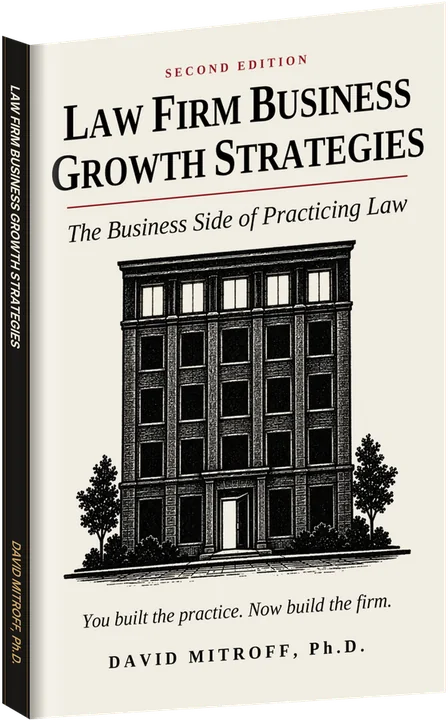
David Mitroff, Ph.D. covers this for attorneys in Law Firm Business Growth Strategies, Second Edition, in the chapter “Technology in the Law Firm”.
Read the chapter guideLaw Firm Growth GuideLaw firm consultingGet the book on Amazon
Quick self-assessment
Score your law firm
Answer nine questions and get an initial score out of 100 for how easy your firm is to find and choose online. It is written for law firms, and built on the nine keys from David Mitroff, Ph.D.’s book Online Business Growth Strategies.
Score your law firmTake action
Your next three steps
- Audit your current tools and note what you use, what is missing and what overlaps.
- Pilot one tool at a time, gather feedback and expand only once it works.
- Train your team with short documents and sessions, then check in after the first month on who uses the tool.
In their own words
What clients say about working with us
“David is a professional in every sense. … David’s best quality is his vision; he has the ability to step back and see the big picture. I would recommend David to anyone.”

“I have known and worked with David for over 15 years, across numerous companies and ventures. He helped us build and promote Clark Meyers. He is my go-to marketing guru and has introduced me to the resources I need to grow.”
 Conor MeyersCo-Founder, Clark Meyers PC

Read more client stories or see our case studies.
Frequently asked questions
For help with this in your own business, see our page on startup and tech consulting.
Frequently asked questions
Can new software fix a struggling small business?
New software amplifies what a small business already does. Software can streamline a process that works, and a flawed process stays flawed after the software is installed. Write the process down first, then choose tools that fit the process.
What is the first step in choosing software for a small business?
The first step in choosing software for a small business is documenting how the work runs today, in a spreadsheet, notes or a checklist, so the tool matches the process instead of the other way around.
Why do small business technology rollouts fail?
Small business technology rollouts often fail because people do not adopt the tool or enter poor information. Short training, onboarding documents and a pilot with one tool at a time improve adoption.
Does a small business need a CRM?
A customer relationship management system is worth considering once leads, jobs or requests are tracked in memory or scattered email. One structured place for every request brings clarity and fewer missed opportunities.
Does Piedmont Avenue Consulting, Inc. review business systems?
Yes. Piedmont Avenue Consulting, Inc. reviews how owners track leads, jobs, invoices and scheduling, documents the process and rolls out tools that fit. Schedule a call with David to talk about your business.
How many tools does a small business need?
Most small service businesses run well on a handful: a website, online scheduling with reminders, a CRM or shared lead list, invoicing and email. Add more only when a written process shows a clear need.
Can AI tools replace a business process?
AI tools can speed up steps in a process, such as drafting a reply or summarizing notes. They work best on a process that is already written down, with a person who owns each step.
Let’s grow together.
Schedule a call with David. Tell us which tools your team uses today, and we will look at what is working and what is not.
Or call David at 510-761-5895, 8 AM to 8 PM, seven days a week.
About the author
David Mitroff, Ph.D. wrote this article. He is the founder of Piedmont Avenue Consulting, Inc., a business and marketing consulting firm serving the San Francisco Bay Area, Los Angeles, Orange County and New York. Meet David or read more articles by David.
- Founder and Business Growth Strategist at Piedmont Avenue Consulting, Inc.
- Doctorate in clinical psychology, with additional coursework in business administration, law and culinary arts; bachelor’s and master’s degrees.
- Taught marketing and entrepreneurship at the University of California, Berkeley for more than seven years.
- Author of several books, including The 45 Day Consultant, The 45 Day Consultant Field Guide, Online Business Growth Strategies, The Event Effect: Invite, Don’t Sell, and Law Firm Business Growth Strategies (Second Edition).
- Started seven companies; previously owned and ran a recruiting and staffing company.
David works with a small team of consultants and specialists on every engagement. Meet our team or read about Piedmont Avenue Consulting, Inc.