



A call with David Mitroff, Ph.D.
Talk through your business with David
Quick answer
Keep the webinar to forty-five minutes or an hour, questions included. Invite people personally, with one event page and a clear title. Plan on fewer people live than registered. Make it interactive with names, questions and a poll, give attendees something to keep, and send the slides and recording to everyone who registered. Then invite the best contacts to meet in person. Piedmont Avenue Consulting, Inc. plans webinars and workshops with owners across the San Francisco Bay Area, Los Angeles, Orange County and New York.
Key takeaways
- A webinar where nobody talks to anybody is just a video, so plan the conversation and not only the slides.
- Forty-five minutes to an hour, questions included, holds attention, and lunchtime works well for professionals joining from their desks.
- Many registrants want the recording instead of the live session, so measure the webinar by everyone who registered.
- A worksheet, checklist or short guide gives attendees a reason to stay to the end and gives you a reason to follow up.
Learning how to host a webinar well matters because a webinar is an event, and the same rules that fill a room apply on a screen. At Piedmont Avenue Consulting, Inc., we are a business and marketing consulting firm that works with owners in the San Francisco Bay Area, Los Angeles, Orange County and New York to start, grow and scale their businesses. David Mitroff, Ph.D., has delivered more than 300 MCLE workshops, webinars and presentations through Piedmont Avenue Consulting, Inc., LexisNexis, Continuing Education of the Bar (CEB) and the San Francisco Bar Association, and he covers virtual events in The Event Effect.
Step one: treat it as an event, not a video
When everything moved online, David’s events and workshops moved with them, and some of the largest rooms he has spoken to were on a screen. During that time he gave a series of business-of-law webinars for CEB, the continuing education program for California lawyers, with titles such as “Strategies for Growing Your Law Firm Business Online,” “Increasing Customer Engagement in Challenging Times” and “Turn Your Network into Revenue.”
“A webinar where nobody talks to anybody is just a video.”
David Mitroff, Ph.D., in The Event Effect, Chapter 5: Pick the Right Event
The difference between a webinar and a video is the people. Plan the conversation, not just the slides.
Choose a topic people will make time for
A webinar competes with every other tab on the screen. The topic has to name a problem the audience already feels, in words they would use themselves. A title like “Five ways to fill slow weeknights” beats “Restaurant marketing insights” because the reader can see the result before signing up.
Teach the audience about their own work, not about yours. When David speaks to lawyers, the topic follows a simple rule.
“For lawyers, the topics have to be about the practice and the business of law, not marketing.”
David Mitroff, Ph.D., in The Event Effect, Chapter 15: Events That Build a Brand
The same holds for any audience. A dentist teaching other professionals talks about running a practice. An accountant teaching owners talks about keeping more of what they earn. Our guide on how to choose a speaking topic walks through the questions to ask, and our explainer on what a continuing education workshop is covers webinars that carry credit for professionals.
Step two: keep it short, and pick the right hour
Forty-five minutes to an hour, including questions, holds attention. Lunchtime works well for professionals, who can join from their desks without giving up an evening. Our comparison of the best time to host a business event covers which weeks and days to avoid.
A sample run of show
A webinar feels relaxed when the host knows exactly what comes next. Here is a simple plan for a forty-five minute session:
- The first five minutes: welcome people by name, say what they will leave with and run a quick poll on who is there.
- The next twenty minutes: teach the main idea in three short parts, with one example from a real kind of business in each part.
- The next ten minutes: bring in a guest or answer the questions that have piled up in the chat.
- The last ten minutes: open questions, share the resource and name one clear next step, such as a short call or the next event.
Write this on one page and keep it next to the screen. If a section runs long, trim the next one, not the questions.
Step three: invite the same way you would for an in-person event
- Send personal invitations first to the people you most want there.
- Use one event page with the date, the time and its time zone, and a single registration link.
- Write a clear title that names the problem the webinar solves, the way the CEB titles do.
- Give a reason to come live, such as time for questions or a resource handed out during the session.
An invitation schedule
- About three weeks out: personal notes to the people you most want there, then the event page goes live.
- About two weeks out: a newsletter mention and a post on the channels your audience reads.
- One week out: a second personal note to anyone you invited who has not answered.
- The day before: a reminder to registrants with the link and the time zone.
- The morning of: one short reminder with the link at the top.
Our guide on how to promote an event covers the invitation schedule.
Step four: plan on fewer people live
Many registrants will want the recording instead of the live session. That is normal. They are still part of the event, and they still get the follow-up. Measure the webinar by everyone who registered, not only the faces on screen.
Our article on how many people to invite to an event explains why the invitation list needs to be several times larger than the live audience you hope to see.
Step five: make it interactive
- Welcome people by name in the chat as they arrive.
- Ask questions early and invite answers in the chat.
- Run a quick poll to learn who is in the room.
- Leave real time for questions at the end, and answer a few in the middle too.
Bring in a guest or a small panel
A second voice changes the energy of a webinar. A client, a partner or a respected expert can answer a question from a different angle, and they bring their own audience when they share the invitation.
Keep the ask easy. When David invites panelists, the most important line in the message is reassurance:
“There’s no need to prepare. We keep it a conversation.”
David Mitroff, Ph.D., in The Event Effect, Chapter 8: Speakers and Panels
Send your guest the questions a few days ahead anyway, so they can think about them. Then let the conversation run.
Our guide on how to host a panel discussion works the same way online: a short opening, real questions and a strong close.
Check the technology before you go live
Small technical problems feel large on a screen. A short checklist the day before saves the opening minutes:
- Test the link from a second device, as if you were a guest.
- Check sound and light. A simple microphone and a lamp in front of you matter more than a fancy camera.
- Name a co-host who can admit people, answer the chat and take over if your connection drops.
- Set up the poll in advance so it launches with one click.
- Have the resource ready as a link you can paste into the chat.
- Close other programs so notifications stay off the screen.
Start the meeting ten minutes early. Greet the first people who arrive, which makes the session feel like a room filling up.
Planning a webinar for your business?
Schedule a call with David Mitroff, Ph.D. We look at your topic, your audience and the follow-up that turns attendees into clients.
Or call David at 510-761-5895, 8 AM to 8 PM, seven days a week.
Step six: give people something to keep
A worksheet, a checklist or a short guide gives attendees a reason to stay to the end and something to use the next day. It also gives you a reason to follow up.
Resource ideas by kind of business
- A law firm: a checklist of questions to ask before signing a commercial lease.
- A dental office: a one-page guide for parents on a child’s first visits.
- A contractor: a planning worksheet for owners thinking about a remodel.
- A restaurant or caterer: a guide to planning a team lunch or an office party.
- An accountant: a year-end checklist for owners.
- A consultant: a short self-assessment for the problem the webinar covers.
The resource works best when it is useful the next morning and short enough to read in a few minutes.
Step seven: follow up with everyone
“Send the presentation to everyone who registered, whether they showed up or not.”
David Mitroff, Ph.D., in The Event Effect, Chapter 14: Follow-Up Is Where the Value Is
“Some people ask, ’Why would I send it to people who didn’t come?’ Because a lot of people register for exactly that reason. They want the slides.”
David Mitroff, Ph.D., in The Event Effect, Chapter 14: Follow-Up Is Where the Value Is
Send the slides and the recording within a day or two, with a short note of thanks. For the people who asked questions or stayed to the end, offer a short call. Our follow-up system shows how to keep those conversations going.
A simple follow-up sequence
- Within a day: thanks, the slides, the recording and the resource, sent to every registrant.
- A few days later: a personal note to the people who asked questions or stayed to the end, with an offer of a short call.
- About two weeks later: an invitation to your next webinar or in-person event.
- The following month: add registrants to your newsletter, if they agreed when they signed up.
Each step takes only a few minutes. Together they turn one hour on a screen into a list of warm conversations.
Step eight: move the best relationships into an in-person meeting
A webinar can reach people far beyond your city. Use it to start the relationship, then invite people to meet in person: a coffee, open office hours or your next mixer. Our guide on how to host open office hours covers the simplest next step.
Our research roundup on whether face-to-face meetings still matter explains why that move from screen to room pays off.
Webinar ideas for different businesses
If you are unsure where to start, borrow one of these formats and change the topic to fit your audience:
- The teaching session. One problem, three steps, a resource. This fits law firms, accountants, consultants and anyone who sells expertise.
- The client conversation. Interview a happy client about what changed for them. This fits contractors, designers and agencies.
- The open question hour. No slides, only questions from the audience. This fits dentists, therapists and advisors who hear the same questions every week.
- The partner panel. Three businesses that serve the same customer, each sharing one tip. This fits real estate, wedding and home services.
- The behind-the-scenes tour. Walk the audience through how something gets made or done. This fits restaurants, makers and studios.
Run a series, not a one-off
The CEB titles above were a series, and a series is where webinars start to pay off. People who liked the first session register for the second. Regulars bring colleagues. You get better at hosting each time, and the audience learns to expect you on a set rhythm.
A simple series might run once a month or once a quarter, each session on a different question your customers ask. Put the dates on your twelve-month marketing calendar so the invitations go out on time.
Get more from the recording
The recording keeps working after the live hour ends:
- Cut short clips of the best answers to share on social media.
- Turn the main points into a blog article that links back to the next session.
- Add the recording to a resources page on your website.
- Send it to new clients who ask the same question later.
One hour of teaching can feed your marketing for weeks.
Common webinar mistakes
- A title about you instead of them. People register for their problem, not your company.
- Too many slides. If every minute is a slide, nobody talks. Leave room for the chat.
- Starting late. A few minutes of silence on a screen feels much longer than it is.
- Hiding the next step. Say clearly what attendees can do next, and put it in the chat.
- Following up with live attendees only. Every registrant gets the slides and the recording.
- Running it once and stopping. A series builds an audience. One webinar alone rarely does.
How to measure a webinar
Head count on the screen is the least useful number. Look at what happened after:
- Registrations, since every registrant is a contact who raised a hand.
- Questions and chat activity, which show who was engaged.
- Calls or meetings booked in the two weeks after the session.
- Replies to the follow-up email.
- Repeat registrants for the next session in the series.
“Eighty people who drank your wine and left are not a success. Twelve people, three of whom book a follow-up call, are.”
David Mitroff, Ph.D., in The Event Effect, Chapter 4: Start With Why
The same math works online. A webinar with a modest audience and a few booked calls beats a crowded one with none. Our guide on how to measure event success goes deeper.
A quick webinar checklist
- A clear title that names the problem
- Forty-five to sixty minutes, questions included
- Personal invitations first, then one event page
- A welcome in the chat for each person
- At least one poll and real time for questions
- One resource attendees can keep
- Slides and recording sent to every registrant
- A personal invitation to meet for the people who engaged
What to do this week
- Write down three questions your customers ask you over and over.
- Turn the strongest one into a webinar title that names the problem.
- Pick a date four weeks out at lunchtime and set up one event page.
- Send personal invitations to ten people you would love to see there.
- Draft the one-page resource attendees will keep.
By the end of the week you will have a topic, a date and the start of a guest list, which is most of the work.
How we work with owners on webinars
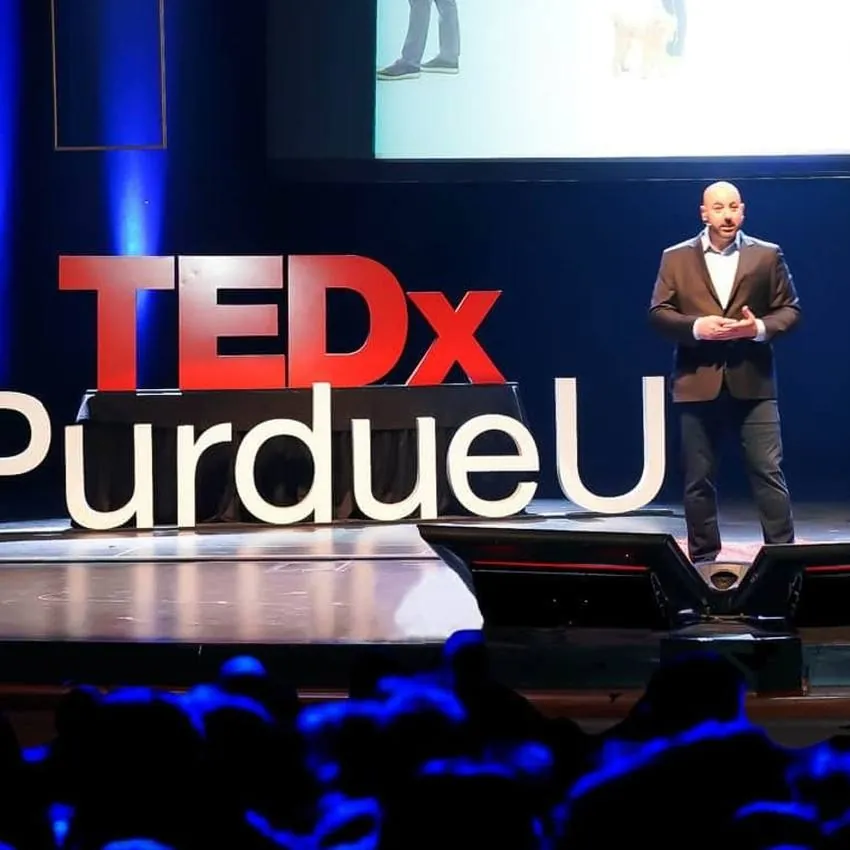
We shape the topic and title, build the invitation list and schedule, plan the interactive moments and the resource attendees keep, and set up the follow-up that turns registrants into conversations. In the first ninety days of working together, our job is to find our fee, which means making or saving you more than you pay us. We start with an initial consultation and a paid assessment, then build a ninety-day plan and a twelve-month marketing calendar. Learn more about our business consulting services.
From David’s books
Run a law firm?
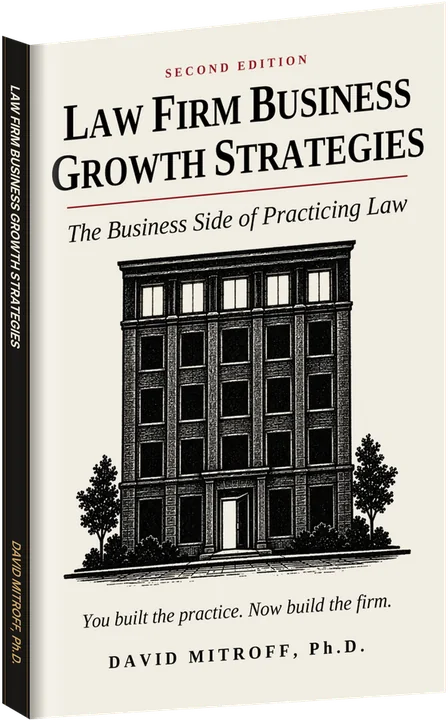
David Mitroff, Ph.D. covers this for attorneys in Law Firm Business Growth Strategies, Second Edition, in the chapter “Workshops and Events”.
Read the chapter guideLaw Firm Growth GuideLaw firm consultingGet the book on Amazon

The Event Effect
David wrote the book on events that grow a business. The Event Effect, now in its second edition, covers how to plan, fill, host and follow up on them.
Quick self-assessment
Score your law firm
Answer nine questions and get an initial score out of 100 for how easy your firm is to find and choose online. It is written for law firms, and built on the nine keys from David Mitroff, Ph.D.’s book Online Business Growth Strategies.
Score your law firmTake action
Your next three steps
- Write a clear title that names the problem the webinar solves.
- Welcome people by name in the chat and run at least one quick poll.
- Send the slides and recording to everyone who registered within a day or two.
In their own words
What clients say about working with us
“McDowall Cotter started working with David Mitroff and right away things started to happen. We have managed to fill up our seminar rooms again, he has found us great new staff to run our marketing department, and business is booming. More than a marketing consultant, he is also a business confidant, helping us keep course on our goal to growth.”
 David RosenbaumPartner, McDowall Cotter, APC

“David was extremely helpful, and the most responsive consultant I’ve ever worked with. If he didn’t know something, he had no problem acknowledging that, and calling in an expert. His follow-up was absolutely impeccable.”
 Judith Szepesi, J.D.Partner, Blakely Sokoloff Taylor & Zafman

Read more client stories or see our case studies.
Frequently asked questions
Frequently asked questions
How long is a good business webinar?
A good business webinar runs forty-five minutes to an hour, including questions, and lunchtime works well for professionals who can join from their desks.
How do I get people to attend a webinar?
Get people to attend a webinar by sending personal invitations first, using one event page with a clear title that names the problem the session solves, and giving people a reason to join live, such as time for questions.
How do I make a webinar interactive?
Make a webinar interactive by welcoming people by name in the chat, asking questions early, running a quick poll and leaving real time for questions at the end.
Do I send the webinar recording to people who did not attend?
Yes. Send the slides and the recording to everyone who registered, whether they attended or not, because many registrants plan to watch the recording and remain part of the event.
Does Piedmont Avenue Consulting, Inc. plan webinars?
Yes. Piedmont Avenue Consulting, Inc. plans webinars, workshops and follow-up for owners in the San Francisco Bay Area, Los Angeles, Orange County and New York. Schedule a call with David to talk about your business.
What do I need to host a webinar?
A reliable video platform, a decent microphone, good light in front of you, a co-host to watch the chat and admit people, one event page for registration and a resource to share at the end.
Is a webinar better than an in-person event?
Each does a different job. A webinar reaches people in other cities and fits a lunch hour, while an in-person event builds deeper trust. Many owners use webinars to start relationships and in-person events to deepen them.
Let’s grow together.
Schedule a call with David. Tell us what you want to teach, and we will look at the webinar that brings in the right people.
Or call David at 510-761-5895, 8 AM to 8 PM, seven days a week.
About the author
David Mitroff, Ph.D. wrote this article. He is the founder of Piedmont Avenue Consulting, Inc., a business and marketing consulting firm serving the San Francisco Bay Area, Los Angeles, Orange County and New York. Meet David or read more articles by David.
- Founder and Business Growth Strategist at Piedmont Avenue Consulting, Inc.
- Doctorate in clinical psychology, with additional coursework in business administration, law and culinary arts; bachelor’s and master’s degrees.
- Taught marketing and entrepreneurship at the University of California, Berkeley for more than seven years.
- Author of several books, including The 45 Day Consultant, The 45 Day Consultant Field Guide, Online Business Growth Strategies, The Event Effect: Invite, Don’t Sell, and Law Firm Business Growth Strategies (Second Edition).
- Started seven companies; previously owned and ran a recruiting and staffing company.
David works with a small team of consultants and specialists on every engagement. Meet our team or read about Piedmont Avenue Consulting, Inc.